Veed AI Studio logo
Rank #1431
ARTISTIC VIDEO EDITING FREEMIUM CLOUD #10 in Artistic Video Editing

Veed AI Studio Review — Text-to-Video Editing

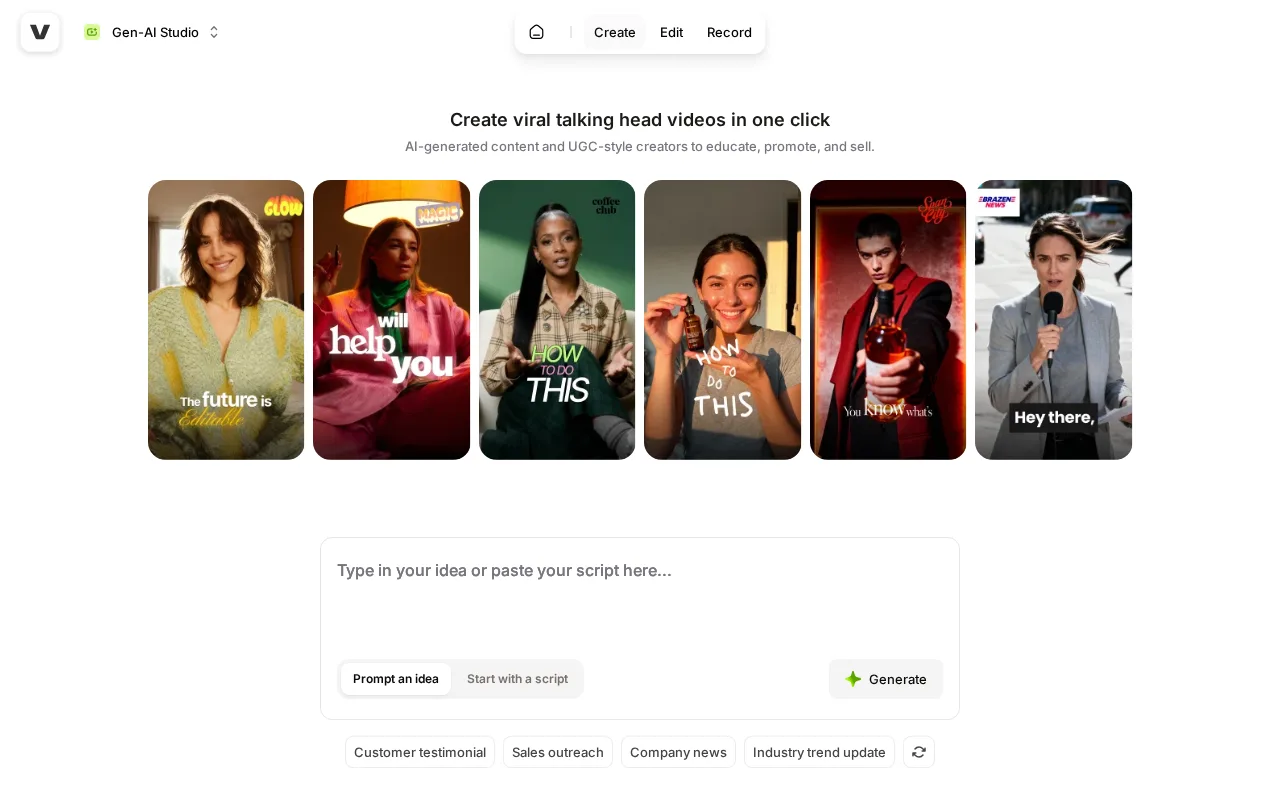
Veed AI Studio offers browser-based video creation with automated editing features for creators and marketers.
31 monthly visitors 31 page views (30d)
Reviewed by Volvenix Editorial
7.2
Volvenix Verdict
AI-powered editorial review
Veed AI Studio
A user-friendly, browser-based video editor with useful automation for creators but limited advanced features.
PROS
  • Intuitive browser-based interface
  • Automated captioning and background removal
  • Good for quick content creation
  • No software installation needed
CONS
  • Limited advanced editing features
  • Free plan has usage restrictions

Is Veed AI Studio Right for You?

A quick checklist to help you decide.

You want to create videos quickly using text prompts and automation
You need advanced, professional-grade video editing tools
You need browser-based video editing without software installation
Free-tier limits are a blocker for your video production volume
Your team requires automated captioning and background removal
You require offline or desktop-based video editing software

Ideal for: Content creators and marketers who need fast, automated video editing in a browser without complex tools.

Less suited for: Professional video editors requiring advanced features and offline desktop software should look elsewhere.

Bottom line: Ease of use combined with automated editing features in a browser environment.

Editorial Review AI-generated
Veed AI Studio excels at simplifying video creation with automated features such as captioning and background removal, making it ideal for marketers and content creators who want quick results without complex software. Its browser-based platform requires no installation and supports collaborative workflows. However, it lacks some advanced editing capabilities found in professional desktop software, which may limit power users. Overall, it is best suited for users seeking ease of use and automation rather than deep customization.

AI-assessed from 3 sources.

Pros & Cons

Pros

User-friendly browser interface
Automated captioning and background removal
No installation required
Supports team collaboration
Good for marketers and creators

Cons

Limited advanced editing features moderate
Workaround: Use dedicated desktop software for complex edits
Free plan includes watermarks and export limits moderate
Workaround: Upgrade to Pro for watermark removal and HD exports
No mobile or desktop app available minor
Who Is It For & What Can It Do
Best For
Marketer Product Manager Beginner curve
AI Capabilities
Automated captioning Background Removal Video generation
Key Features
Automated Captioning
Automatically generates captions for videos
Background Removal
Removes video backgrounds without green screen
Text-to-Video
Create videos from text prompts
HD Video Export
Export videos in HD quality
Team collaboration
Collaborate with team members on projects
Best Use Cases
Social media video content creation Marketing video production Online course video editing Quick video captioning Background removal for product videos
Available Platforms
Integrations
Inputs & Outputs
Textinput Videooutput
Supported Languages
English
Security & Compliance
Compliance Standards
GDPR
Privacy · EU
API & Developer Tools
Pricing Plans

Free

Best for individuals

Free
 
  • Basic video exports
  • Watermarked videos

Team

For small teams

$30/mo
$30.00/mo billed annually
  • All Pro features
  • Team collaboration
  • Priority support

Offers a free tier with basic features and paid plans unlocking more exports and advanced tools.

Price Range
Free $0–$0 Mid Range $20–$100
Support Channels
Documentation
Did you find this page helpful?
Frequently Asked Questions
What is this tool?
Veed AI Studio is a browser-based platform for creating and editing videos using text prompts and automation.
How much does it cost?
It offers a free plan with basic features and paid subscriptions starting at $20 per month.
Does it have a free plan?
Yes, Veed AI Studio provides a free tier with limited exports and watermarked videos.
What integrations does it support?
No public information on native integrations is available.
Who is it best for?
It is best suited for content creators and marketers needing quick, automated video editing in a browser.
User Reviews

No reviews yet. Be the first to review Veed AI Studio!

Write a Review
Discussion
No discussions yet. Start the conversation!
0 tools selected
Compare Now →
Veed AI Studio Visit Tool