DeepSource logo
Rank #1128
ERROR REDUCTION FREEMIUM CLOUD #9 in Error Reduction

DeepSource Review — Automated Code Analysis

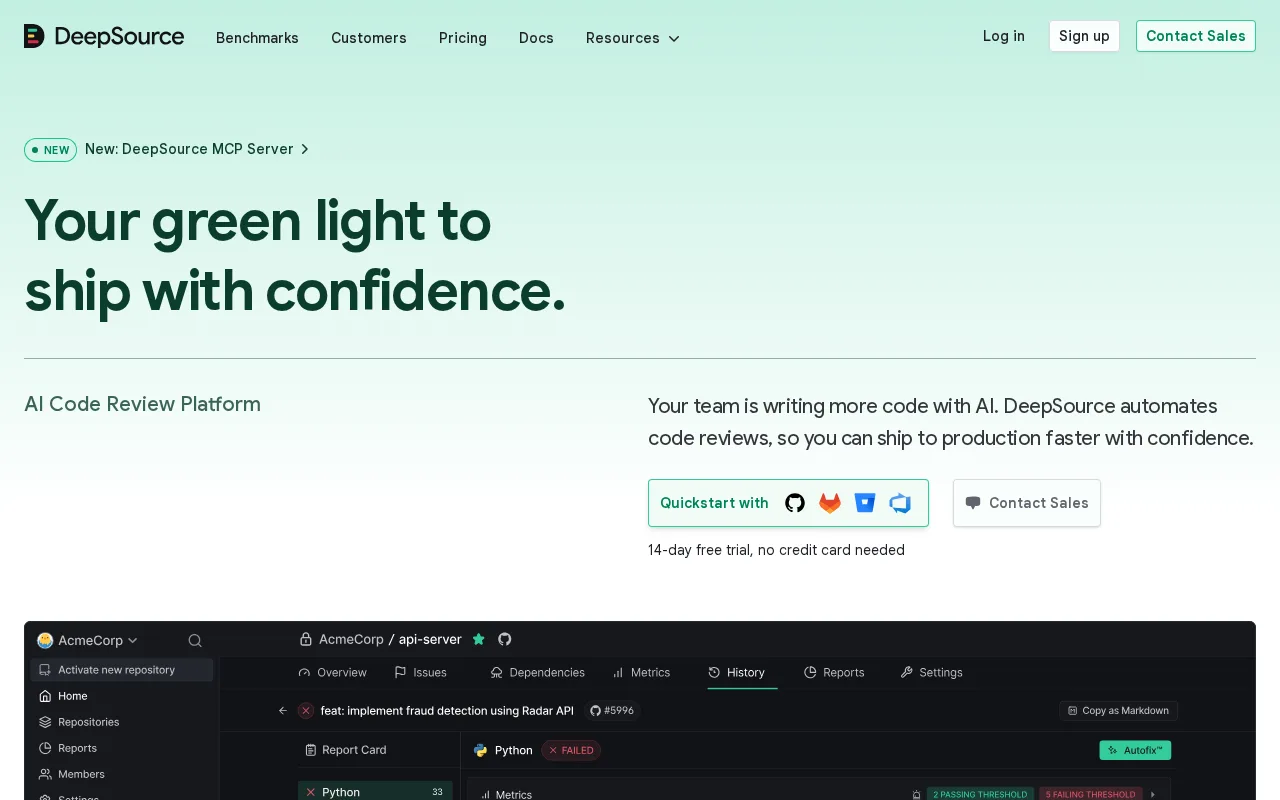
DeepSource provides automated code analysis to reduce errors and improve code quality in real time.
22 monthly visitors 22 page views (30d)
Reviewed by Volvenix Editorial
7.5
Volvenix Verdict
AI-powered editorial review
DeepSource
DeepSource is a solid automated code review tool that helps teams catch errors early and maintain code quality.
PROS
  • Seamless integration with GitHub, GitLab, and Bitbucket
  • Supports multiple programming languages
  • Automated error detection and code quality suggestions
CONS
  • Limited features on free plan
  • No runtime debugging or profiling capabilities

Is DeepSource Right for You?

A quick checklist to help you decide.

You want to catch code issues before merging pull requests with automated checks
You need runtime debugging or performance profiling tools
You need support for multiple programming languages in your CI/CD pipeline
Free-tier limits are a blocker for your individual or small team usage
Your team requires consistent code quality enforcement and error reduction
You require deep security vulnerability scanning beyond static analysis

Ideal for: Developers and small to medium teams seeking automated static code analysis integrated with their version control workflows.

Less suited for: Individual developers needing extensive free features or teams requiring deep debugging and runtime error tracking.

Bottom line: Integration with version control systems and automated static analysis capabilities.

Editorial Review AI-generated
DeepSource excels at integrating seamlessly with GitHub, GitLab, and Bitbucket to provide continuous static analysis and actionable feedback. Its support for multiple languages and focus on error reduction make it valuable for development teams. However, its free tier is somewhat limited, and advanced features require paid plans. It is best suited for teams that want automated code quality checks integrated into their workflow rather than standalone debugging tools.

AI-assessed from 3 sources.

Pros & Cons

Pros

Strong integration with popular Git platforms
Real-time static code analysis with actionable feedback
Supports multiple programming languages
Improves code quality and reduces errors
Easy setup and configuration

Cons

Limited features in free plan moderate
Workaround: Upgrade to paid plans for full feature access
No runtime debugging or profiling moderate
Lacks deep security vulnerability scanning minor
Who Is It For & What Can It Do
Best For
Developer / Engineer Product Manager Intermediate curve
AI Capabilities
Code Quality Analysis Error detection
Key Features
Static Code Analysis
Automated detection of bugs and anti-patterns
Multi-language Support
Supports Python, Go, JavaScript, and more
Version control integration
Integrates with GitHub, GitLab, Bitbucket
Security Analysis
Basic static security checks
CI/CD Pipeline Integration
Works with existing CI workflows
Best Use Cases
Automated code review in pull requests Maintaining code quality in CI pipelines Detecting bugs and anti-patterns early Enforcing coding standards across teams Improving security posture with static checks
Available Platforms
Inputs & Outputs
Codeinput Codeoutput
Supported Languages
English
Security & Compliance
Compliance Standards
GDPR
Privacy · EU
API & Developer Tools
Pricing Plans

Free

Best for individuals

Free
 
  • Basic static analysis
  • Limited repositories

Offers a free tier with basic features; paid plans unlock advanced analysis and team collaboration tools.


Price Range
Free $0–$0
Support Channels
Documentation
Did you find this page helpful?
Frequently Asked Questions
What is this tool?
DeepSource is an automated static code analysis platform that detects bugs and improves code quality.
How much does it cost?
DeepSource offers a free tier with basic features; paid plans unlock advanced capabilities.
Does it have a free plan?
Yes, DeepSource provides a free plan suitable for individuals and small projects.
What integrations does it support?
It integrates with GitHub, GitLab, and Bitbucket for seamless code analysis.
Who is it best for?
It is best for developers and teams wanting automated code quality checks in their workflows.
User Reviews

No reviews yet. Be the first to review DeepSource!

Write a Review
Discussion
No discussions yet. Start the conversation!
0 tools selected
Compare Now →
DeepSource Visit Tool