Soundtrap logo
Rank #861
MUSIC COLLABORATION PLATFORMS FREEMIUM CLOUD #1 in Music Collaboration Platforms State of the Art

Soundtrap Review — Collaborative Audio Editing

Soundtrap is a browser-based audio studio for podcasting, music, and collaboration.
44 monthly visitors 44 page views (30d)
Reviewed by Volvenix Editorial
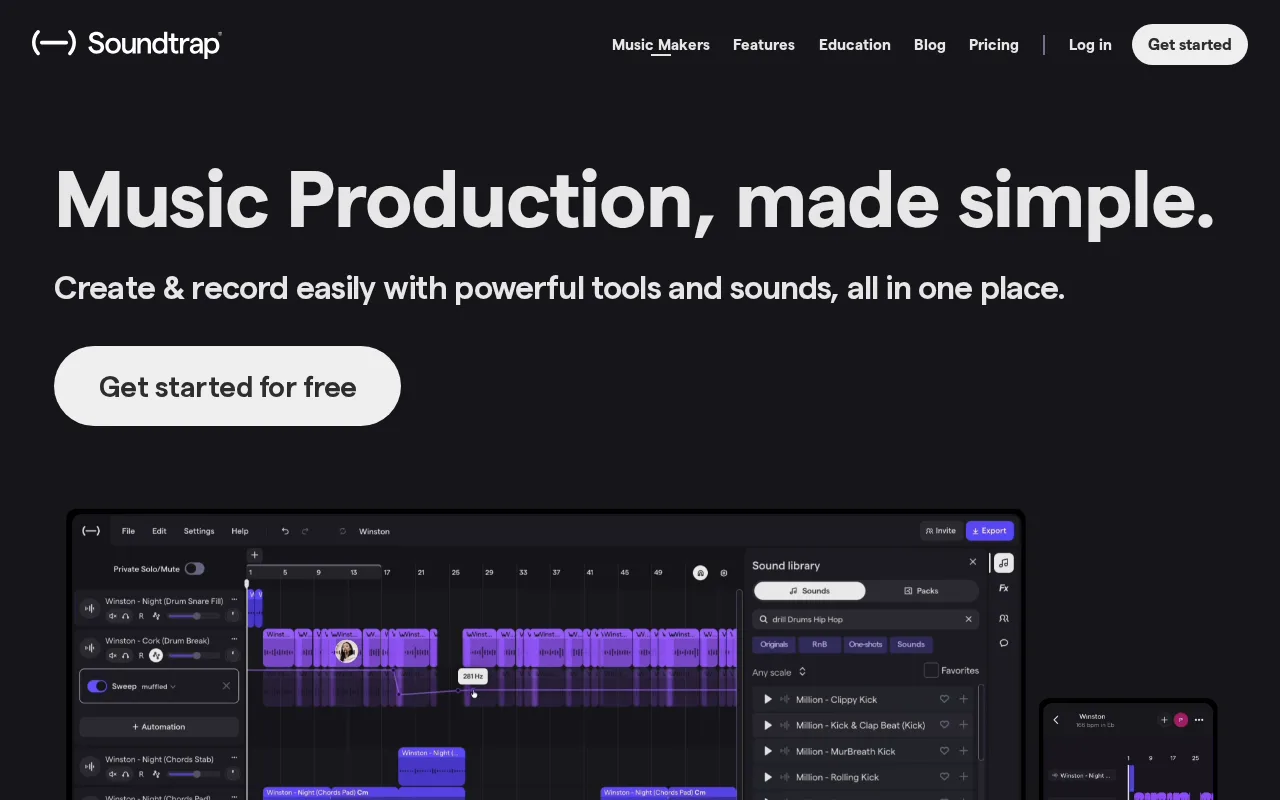
Soundtrap — preview
7.5
Volvenix Verdict
AI-powered editorial review
Soundtrap
A versatile and accessible audio platform ideal for collaborative podcast and music production.
PROS
  • Browser-based with no installation needed
  • Real-time multi-user collaboration
  • Extensive royalty-free music library
  • User-friendly interface
  • Cross-platform cloud access
CONS
  • Limited advanced audio editing features
  • Some key features locked behind paid plans

Is Soundtrap Right for You?

A quick checklist to help you decide.

You want to record and edit audio collaboratively in real time via browser.
You need advanced audio production tools like Pro Tools or Logic Pro.
You need an easy-to-use platform with built-in royalty-free music and loops.
Free-tier limits are a blocker for your extensive multi-track projects.
Your team requires cloud access to audio projects from any device.
You require offline desktop software for audio editing and mixing.

Ideal for: Individuals or teams needing a cloud-based audio studio for podcasting, music creation, and remote collaboration.

Less suited for: Professional audio engineers or producers requiring advanced DAW features and offline workflows.

Bottom line: Cloud-based multi-track recording with real-time collaboration capabilities.

Editorial Review AI-generated
Soundtrap excels with its easy-to-use interface and strong collaboration features, making it a great choice for remote teams and beginners. The multi-track editor and integrated music library provide solid creative tools. However, advanced audio professionals might find its feature set limited compared to dedicated DAWs. Its freemium pricing offers good entry-level access but some key features require paid plans. Overall, it’s best suited for podcasters, educators, and casual musicians who value cloud collaboration.

AI-assessed from 3 sources.

Pros & Cons

Pros

No software installation required, works in browser
Supports real-time collaboration for teams
Large library of royalty-free music and loops
Intuitive and beginner-friendly interface
Cross-platform access via cloud

Cons

Lacks advanced audio production features moderate
Workaround: Use alongside professional DAWs for complex projects
Some features require paid subscription minor
Workaround: Evaluate free tier before upgrading
Who Is It For & What Can It Do
Best For
Individual / Freelancer Small Business (1–10) Beginner curve
AI Capabilities
Audio Editing Collaboration
Key Features
Multi-track recording
Record and edit multiple audio tracks simultaneously
Real-time collaboration
Multiple users can work on projects at the same time
Royalty-free music library
Access to loops and sounds for music and podcasts
Auto-Tune and Effects
Basic vocal tuning and audio effects
Mobile App
Record and edit on mobile devices
Best Use Cases
Podcast recording and editing Remote music collaboration Educational audio projects Voiceover and narration production Content creation for social media
Available Platforms
Integrations
Inputs & Outputs
Audioinput Audiooutput
Supported Languages
English
Security & Compliance
Compliance Standards
GDPR
Privacy · EU
API & Developer Tools
Pricing Plans

Free

Best for individuals

Free
 
  • Basic recording and editing
  • Limited tracks and loops

Team

For small teams

$30/mo
$30.00/mo billed annually
  • Team collaboration tools
  • Shared projects and assets

Offers a free tier with basic features; paid plans add more tracks, effects, and collaboration tools.

Price Range
Free $0–$0 Mid Range $20–$100
Support Channels
Did you find this page helpful?
Frequently Asked Questions
What is this tool?
Soundtrap is a cloud-based audio recording and editing platform for podcasts, music, and collaboration.
How much does it cost?
Soundtrap offers a free tier and paid plans starting at $20/month with additional features.
Does it have a free plan?
Yes, Soundtrap provides a free plan with basic recording and editing features.
What integrations does it support?
Soundtrap integrates natively with Spotify and offers export options to various platforms.
Who is it best for?
It is best for podcasters, educators, and musicians seeking easy online collaboration.
User Reviews

No reviews yet. Be the first to review Soundtrap!

Write a Review
Discussion
No discussions yet. Start the conversation!
0 tools selected
Compare Now →
Soundtrap Visit Tool