Reimagine Home logo
Rank #1092
IMAGE GENERATION FREEMIUM CLOUD #12 in Image Generation

Reimagine Home Review — Interior Design Visualization

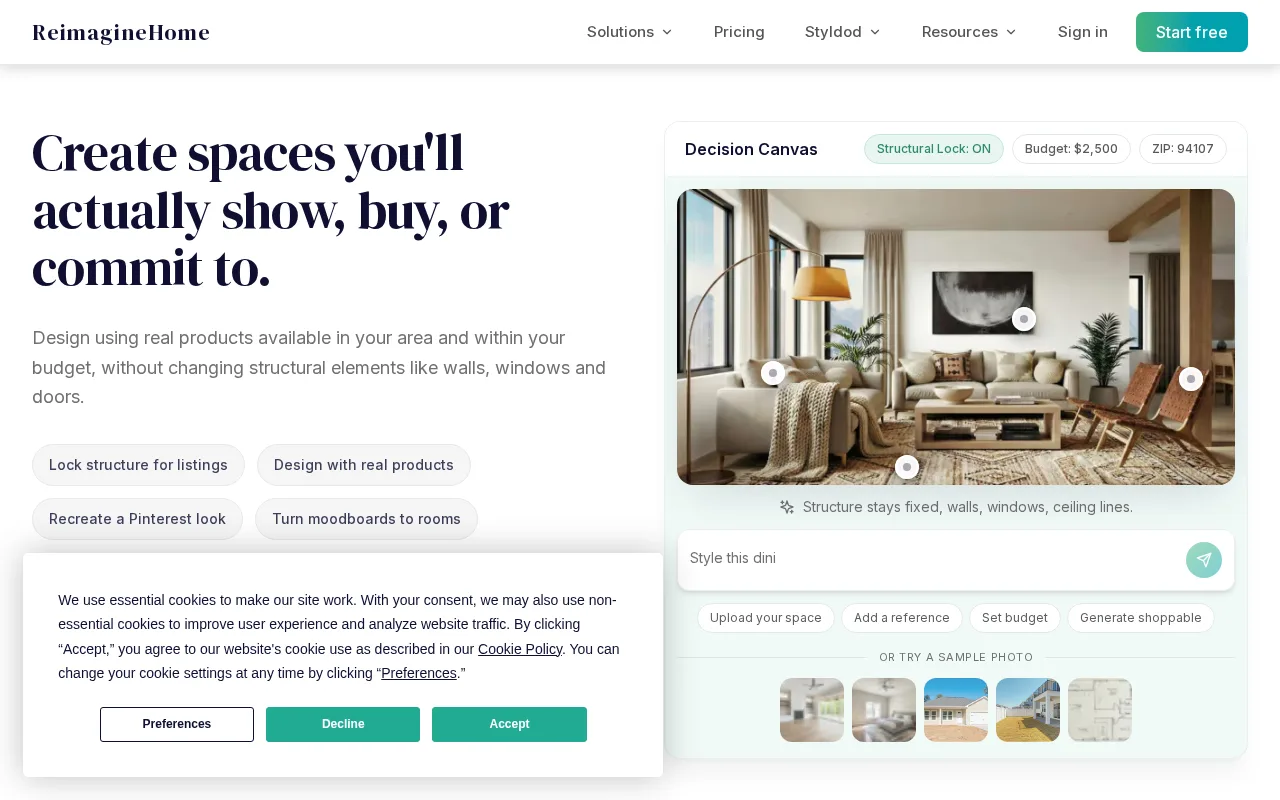
Transform your room photos into photorealistic interior design visualizations quickly and easily.
10 monthly visitors 10 page views (30d)
Reviewed by Volvenix Editorial
7.5
Volvenix Verdict
AI-powered editorial review
Reimagine Home
A user-friendly tool for quick, photorealistic interior design visualizations from photos.
PROS
  • Fast photorealistic image generation
  • User-friendly interface for all skill levels
  • Good for quick interior design previews
CONS
  • Limited advanced customization options
  • Lacks integrations with other design tools

Is Reimagine Home Right for You?

A quick checklist to help you decide.

You want quick, realistic interior design previews from your own room photos.
You need advanced design customization and editing capabilities.
You need an easy-to-use tool without complex design software skills.
Free-tier limits are a blocker for your frequent or large-scale projects.
Your team requires fast visual concepts for client presentations or personal use.
You require integrations with professional CAD or design platforms.

Ideal for: Homeowners, renters, and interior designers needing fast, photorealistic room visualizations from photos.

Less suited for: Users requiring deep customization, professional-grade design workflows, or extensive integrations should look elsewhere.

Bottom line: Speed and ease of generating photorealistic interior design images from user photos.

Editorial Review AI-generated
Reimagine Home excels at turning ordinary room photos into personalized interior design concepts with impressive speed and realism. Its simple interface makes it accessible for non-experts, while still appealing to designers needing quick visualizations. However, customization options can be somewhat limited compared to advanced design software, and it lacks integrations with other design tools. Overall, it's best for individuals or small teams seeking fast, visually appealing interior design previews without a steep learning curve.

AI-assessed from 3 sources.

Pros & Cons

Pros

Fast and photorealistic interior design image generation
Intuitive and easy-to-use interface
Suitable for non-expert users
Offers a free tier for casual users
Supports personalized room photo inputs

Cons

Limited advanced customization options moderate
No integrations with professional design tools moderate
No mobile app available minor
Who Is It For & What Can It Do
Best For
Individual / Freelancer Designer / Creative Small Business (1–10) Beginner curve
AI Capabilities
Image generation
Key Features
Photorealistic Image Generation
Generates realistic interior design visuals from photos
User-friendly interface
Easy for beginners and non-designers to use
Multiple Design Styles
Offers various interior design aesthetics
Collaborative features
Team plans include shared project access
Photo Upload Input
Users upload their own room photos for design
Best Use Cases
Homeowners visualizing room redesigns Renters previewing interior changes Interior designers creating quick client concepts Real estate agents staging virtual interiors DIY decorators exploring style options
AI Models Used
InteriorDesignGAN by Unknown
Available Platforms
Web App
Inputs & Outputs
Imageinput Imageoutput
Supported Languages
English
Security & Compliance
Pricing Plans

Free

Best for individuals

Free
 
  • Basic interior design visualizations
  • Limited image generations per month

Team

For small teams

$30/mo
$30.00/mo billed annually
  • Collaborative project access
  • Priority support

Offers a free plan with basic features and paid subscriptions for enhanced capabilities and higher usage limits.


Price Range
Free $0–$0 Low Cost $0–$20 Mid Range $20–$100
Support Channels
Email
More from Reimagine AI
Did you find this page helpful?
Frequently Asked Questions
What is this tool?
Reimagine Home generates personalized interior design visuals from your room photos.
How much does it cost?
It offers a free plan with basic features and paid subscriptions for more usage and premium styles.
Does it have a free plan?
Yes, there is a free plan with limited image generations available.
What integrations does it support?
Currently, it does not support integrations with other design or productivity tools.
Who is it best for?
Ideal for homeowners, renters, and designers needing fast, photorealistic interior design previews.
User Reviews

No reviews yet. Be the first to review Reimagine Home!

Write a Review
Discussion
No discussions yet. Start the conversation!
0 tools selected
Compare Now →
Reimagine Home Visit Tool