 Volvenix
WavTool vs Riverside
AI-enhanced independent comparison — features, pros, cons, pricing and rankings.
 ChatGPT
  Claude
  Gemini
  Midjourney
  DALL-E
  Stable Diffusion
  Notion AI
  Canva
Canva  Grammarly
  GitHub Copilot
  ElevenLabs
  Perplexity
  Runway
  Synthesia
  Fireflies.ai
  Hugging Face Hub

| Dimension | WavTool | Riverside |
|---|---|---|
| Accuracy & Reliability | ||
| Ease of Use | ||
| Features & Capability | ||
| Value for Money | ||
| Performance & Speed | ||
| Popularity & Adoption |
Who each tool serves best — and when to pick the other one.
Independent music producers and content creators seeking an accessible, browser-based DAW with AI-assisted editing.
- You want to produce and edit music without installing software on your computer
- You need a DAW that supports multitrack recording and MIDI sequencing in-browser
- Your workflow benefits from AI-assisted audio editing tools to speed up production
Professional studios or users needing advanced audio plugins, extensive integrations, or offline desktop software.
- You require advanced professional audio plugins and effects not available in-browser
- Free-tier limitations prevent you from completing your projects efficiently
- You need offline desktop software with extensive third-party integration support
Browser-based multitrack recording and AI-assisted editing combined in a freemium DAW.
Podcasters, remote interviewers, and content creators who need high-quality separate audio/video tracks and streamlined editing.
- You need to record remote interviews with studio-quality separate tracks
- You want an easy-to-use platform that simplifies podcast editing
- Your team requires reliable remote recording without complex hardware
Users needing full-featured audio editing software or those with very limited budgets who cannot upgrade beyond the free tier.
- You need advanced multi-track audio editing beyond basic tools
- Free-tier limits are a blocker for your recording length or participant count
- You require offline or self-hosted recording solutions
The ability to record separate high-quality audio and video tracks remotely with easy editing.
A canonical comparison across capabilities common to this category. Vendor-specific extras appear below in "Highlighted Features".
| Capability | WavTool | Riverside |
|---|---|---|
|
Free Tier Available
Usable without payment (with usage limits)
|
✓ | ✓ |
Each tool's marketing-listed features. Where a feature appears under one tool but not the other, it usually reflects how the vendor describes their product — not a definitive capability gap.
- Multi-track recording — Record multiple audio tracks simultaneously
- MIDI sequencing — Create and edit MIDI sequences within the DAW
- AI-Assisted Editing — Tools to automate and enhance audio editing
- Collaboration — Team project sharing and collaboration features
- Plugin Support — Support for third-party audio plugins
- Separate Track Recording — Records individual audio and video tracks for each participant
- AI-Powered Editing — Automates editing tasks to speed up post-production
- Remote Multi-Participant Support — Supports up to 10 participants in remote sessions
- Live Call-Ins — Allows live guest call-ins during recordings
- Cloud Backup and Export — Automatic cloud backup with multiple export formats
- Accessible browser-based DAW with no installation
- Supports multitrack recording and MIDI sequencing
- Includes AI-assisted audio editing features
- Freemium pricing model with upgrade options
- User-friendly interface for beginners and intermediates
- High-fidelity separate audio and video track recording
- AI-assisted editing simplifies post-production
- Supports multiple remote participants
- Cloud-based with automatic backups
- Intuitive user interface for beginners
- Limited support for advanced audio plugins
- Free plan has feature and usage restrictions
- No offline desktop application available
- Free plan limits recording time and participants
- No native mobile app available
- Advanced editing features require subscription
- Independent music production
- Podcast audio editing
- MIDI composition and sequencing
- Collaborative music projects
- Quick audio editing in-browser
- Remote podcast recording
- Online interviews and talk shows
- Content creator video/audio production
- Virtual panel discussions
- Educational webinars and recordings
Natural languages each tool generates and understands. Primary languages are listed first.
What each tool can accept (input) and produce (output) — text, image, audio, video, code.
WavTool offers a free plan with basic features and paid subscriptions for expanded capabilities and team collaboration.
-
Free
Free -
Pro
popular
$20.00/mo -
Team
$30.00/mo
Riverside offers a free plan with limited recording time and participants, with paid plans unlocking longer sessions, more participants, and advanced features.
-
Free
Free -
Standard
popular
$19.99/mo -
Pro
$39.99/mo
Regulatory frameworks each tool claims compliance with (HIPAA, SOC 2, GDPR, etc.).
Vendor-published numbers each tool highlights — usage scale, breadth, and operational stats. Different tools track different metrics, so direct row-by-row comparison usually isn't meaningful.
- Accessible DAW Browser-based, no install needed
- Recording Quality Studio-level separate tracks
- Participants Supported Up to 10
- Recording Length Up to unlimited (paid) hours
Who each tool is positioned for — primary audience first.
How you can reach support — email, live chat, phone, community, docs.
- Documentation primary
- Documentation primary visit ↗
These vocabulary domains are managed in our catalog but not yet exposed at the tool level. We're tracking them for future expansion of this comparison.
- Encryption Types — AES-256, ChaCha20, RSA-2048, and similar at-rest/in-transit cipher families.
- Encryption Contexts — where encryption is applied (data at rest, in transit, end-to-end).
- Plan-tier Model Mapping — which AI models are available on which pricing tier (currently only the model list is tracked, not the per-plan availability).

- What is this tool?
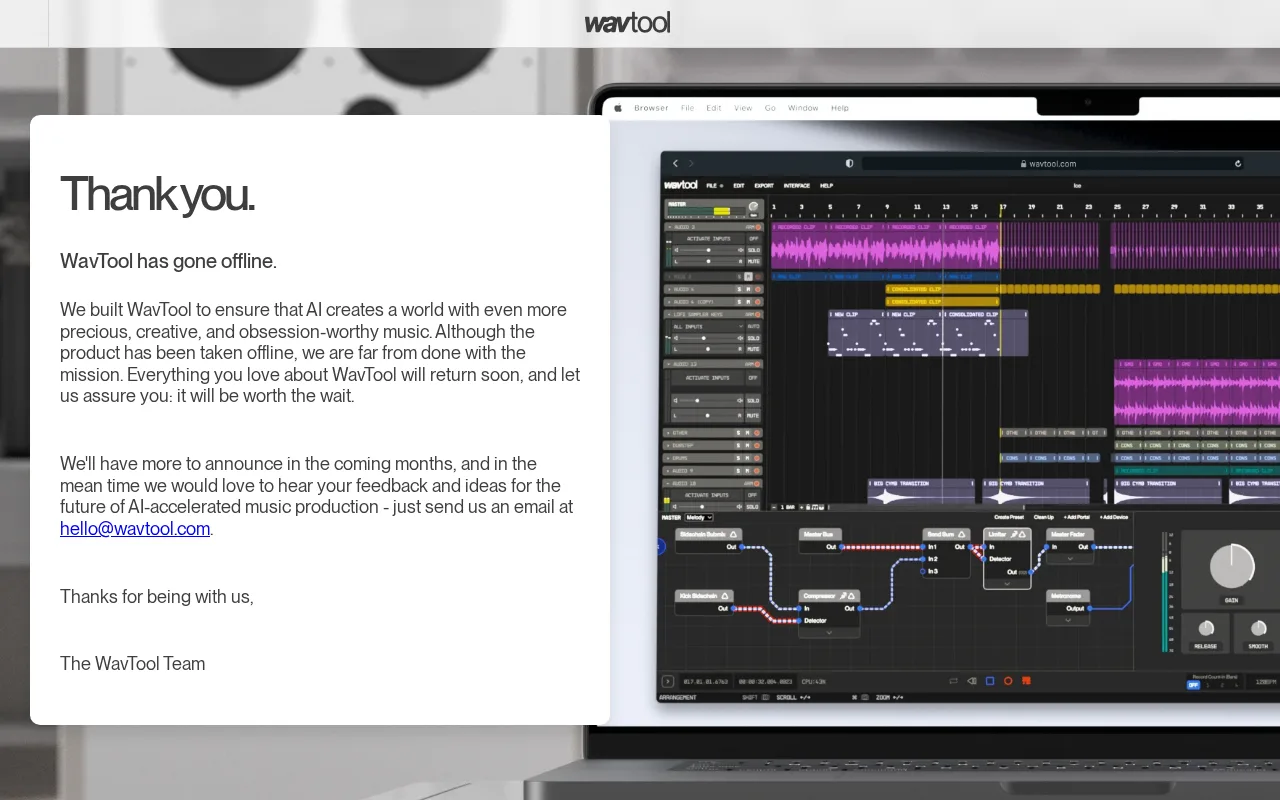
- WavTool is a browser-based digital audio workstation for multitrack recording, MIDI sequencing, and AI-assisted audio editing.
- How much does it cost?
- WavTool offers a free plan with basic features and paid subscriptions starting at $20/month for expanded capabilities.
- Does it have a free plan?
- Yes, WavTool provides a free plan suitable for individuals with limited features.
- What integrations does it support?
- WavTool currently has limited third-party integrations and focuses on in-browser audio production.
- Who is it best for?
- It is best suited for independent producers and content creators seeking an accessible browser-based DAW.
- What is this tool?
- Riverside is a platform for recording high-quality remote podcasts and interviews with separate audio and video tracks.
- How much does it cost?
- Riverside offers a free plan with limited recording time and paid plans starting around $20/month for extended features.
- Does it have a free plan?
- Yes, Riverside provides a free tier with up to 2 hours of recording and 2 participants.
- What integrations does it support?
- Riverside integrates with publishing platforms and offers export options but does not have extensive third-party integrations.
- Who is it best for?
- It is best suited for podcasters and remote content creators needing studio-quality recordings with easy editing.
| Info | WavTool | Riverside |
|---|---|---|
| Pricing | Freemium | Freemium |
| Category | AI Voice & Speech | AI Voice & Speech |
| Deployment | Cloud | Cloud |
| Learning Curve | Intermediate | Beginner |
| Free Plan | ✓ | ✓ |
| AI Agent | ✗ | ✗ |
| Autonomy | Copilot | Assistant |
| Risk Tier | Medium | Low |
 Trint
Trint Speechify
 Dolby.io Media APIs
 Auphonic
 LANDR
LANDRWavTool and Riverside both offer freemium pricing models and have similar overall scores, with WavTool at 5.2/10 and Riverside at 5.3/10. WavTool focuses on audio editing and production features suitable for podcasters and musicians, while Riverside emphasizes high-quality remote video and audio recording, targeting content creators conducting interviews or producing video podcasts. Their feature sets reflect these use cases, with Riverside providing tools optimized for multi-track recording and live streaming, whereas WavTool offers more traditional audio editing capabilities.
ⓘ How Volvenix scores work
Scores are computed by Volvenix — not supplied by the vendors, and not third-party benchmark results. Each 0–10 dimension (Overall, Features, Usability, Support, Pricing) is a directional estimate aggregated from catalog signals — editorial cataloguing, content depth, engagement, and provider-reputation indicators — so treat them as a starting point, not a lab result.
Confidence reflects how complete the underlying data is for both tools; lower confidence means fewer signals were available, not a worse tool. We never accept payment for rankings or scores. More about how Volvenix works →